1. Invite your team
Get coach access, then share your team code or link. Athletes join using their own accounts and choose their sharing settings.
 MindEdge
A shared team view, a searchable practice library, and clear next steps for athletes. Start with a free huddle or bring your team into MindEdge.
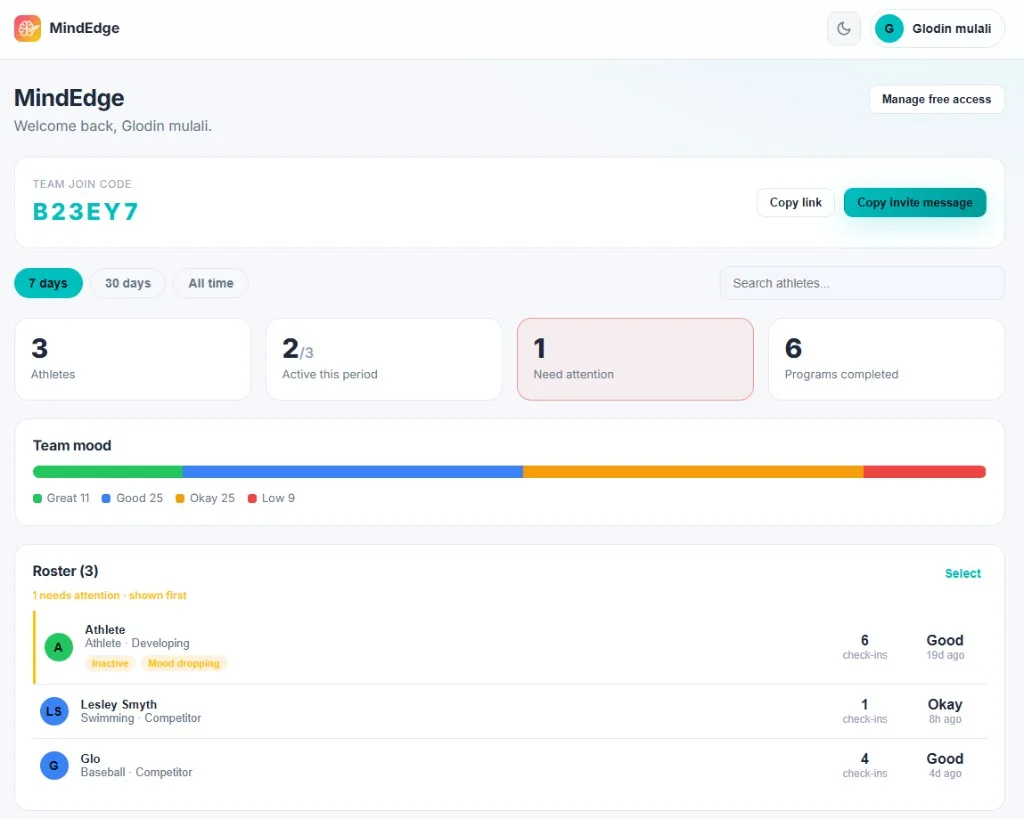
Get coach access, then share your team code or link. Athletes join using their own accounts and choose their sharing settings.
Search live programs and techniques by title, topic, keywords or steps. Open a preview to read the full sequence before choosing it.
Assign a program or technique to selected athletes. Add a short coach note, then follow up with a conversation about the practice.
Export a full program or one technique from the coach library. The web and mobile app use the same document builder, including ordered steps and available program insights. Choose Save as PDF in your browser’s print options.
Open your coach library →Request a coach dashboard with your team name and email. Once your access is ready, sign in, copy your team join link or code, and invite athletes. Athletes choose whether to join and what they share. You can then review the shared team view and assign a practice.
Yes. In the coach dashboard, open Programs & techniques. Search a title, keyword, topic, or words in the practice steps. Filter to programs or techniques, then open a preview. The library includes live techniques that belong to a program as well as standalone techniques.
Open Programs & techniques in the coach dashboard. Select Export PDF on a resource, or preview a program and export one of its techniques. Your browser opens the print options; choose Save as PDF. Program handouts include the ordered practice sequence and available key insights.
Yes. Choose a resource from the coach library and select Assign to athletes. Pick the athletes who should receive it, add an optional coach note, and confirm. You can also select athletes from the roster and begin an assignment there.
The coach dashboard is based on information athletes choose to share with their team. It does not provide a view into private AI coaching conversations. Explain the sharing arrangement to athletes and use the shared information to support a conversation, rather than making assumptions about someone.
Use the team huddle planner to name the moment, choose one team action and write a short shared cue. The tool arranges your choices into an opening, a brief practice and a closing prompt. Keep participation respectful and avoid asking athletes to disclose personal concerns in front of the team.
Yes, when your account has been added to those teams. Use the team selector in your coach dashboard to switch. Each roster and its assignments belong to the selected team, so check the team name before assigning or changing access.
You can request a team session or workshop through the Work with Lesley page. Include your country, timezone and preferred days and times. The team will confirm availability, a suitable format and any fees before an appointment is booked.
Request a session, team workshop or professional collaboration. Availability, format and fees are confirmed before booking.
Request a session →Before selection day, use the tryout preparation card. During a game, try a next-play reset. For a young athlete, use the coach’s supportive check-in.
Sport examples: soccer transitions and tennis between-point routines. Start a pre-game routine or use the breathing timer.